Search This Website

Showing posts with label Apps. Show all posts

Tuesday, February 15, 2022

India's digital strike, a ban on 54 more mobile apps, tweaks China

India's digital strike, a ban on 54 more mobile apps, tweaks China

The Indian government has banned a further 54 mobile apps. The new ban also includes Chinese apps. The ban is aimed at endangering India's security, sovereignty and integrity.
  • Government of India bans 54 more mobile apps
  • This big action took charge of security
  • Bain has done 270 apps since 2020
The Indian government has banned a further 54 mobile apps. The new ban also includes Chinese apps. The ban is aimed at endangering India's security, sovereignty and integrity. The new ban also includes the first banned apps. Have also re-emerged as clones. This is the first lot of apps banned by the government in 2022 after a total of 270 apps were banned after 2020. A further 50 apps have been banned, according to a report. The app is banned under Section 69A of the IT Act.
  
According to the report, a popular smartphone game called Garena Free Fire had disappeared from Google Play Store and Apple App Store earlier and it seems that this game has joined the list of banned apps in India. 

Ban on clone of banned app

However, according to the report, the new list of banned apps includes clones of most apps. Which were already banned in India from 2020. The list of total apps banned by India, along with 50 other banned apps, has reached close to 320.

These apps were already banned in India

The Indian government has previously banned a number of popular apps, including Tiktok and Pubji Mobile. When Pubji Mobile returned to India, Kraft set up a new office and severed ties with his Chinese partners. Tiktok has not been so lucky and is banned in the country. According to the report, the new list of banned apps includes clone apps, including some Chinese. 
 
 
In the year 2020, the first 59 apps were released Tensions between India and China over the LAC in Ladakh peaked in 2020, when 59 Chinese apps, including TikTok, were first banned. India banned popular apps like Tiktok, UC Browser, Share It, Hello, Like, VChat, Beauty Plus. The government has since banned 47 mobile apps . Most of them were either clones of banned apps or they were mixing them.

Then in September 2022, India banned 118 other mobile apps , including the popular gaming app Pubji. In addition to Pubji, apps like Livic, WeChat Work, WeChat Reading, Carrom Friends, CamCard were banned.

Click Here To View List of Banned Apps

Read More »

Friday, December 24, 2021

JioSecurity: Malware Scan, Antivirus, App Lock

  JioSecurity: Malware Scan, Antivirus, App Lock

JioSecurity: Malware Scan, Antivirus, App Lock


Features -

Application Consultant:
Giving unnecessary app permissions is risky. These permissions allow the application developer to access our personal file, which leads to fraud and other privacy risks.

App Advisor protects all your personal files like pictures, music, videos, account details verification by clearly classifying apps as privacy risk, high data/battery consumption and secure apps.

App Advisor for Google Play:

While App Advisor helps you identify risky apps from apps that are already on your phone, App Advisor for Google Play helps you identify threats even before you download the app.

At a stage where you are close to clicking the install button, it will scan the app for privacy risks and show you the result base for which it plans to download the app.

Malware Scan:

Malware analysis protects your phone from any malicious files.
It runs in the background and notifies you of files or applications that could potentially harm your device and personal information. Will run manual analysis when necessary to determine risk.

Web Protection -
The Web Security feature helps you stay safe during your browsing sessions. It notifies you the moment it finds a website that contains such malicious code.
 
How To Find Your Lost Android Phone Using Google's 'Find My Device'

Anti Theft ::

Locate  - Remotely track your mobile on the map and find its location.

Lock  - Lock your device remotely, thief will not be ready to access your phone without your password.

Scream - Turns off the alarm loud enough that you're ready to track if someone hides the phone in your bag.

Clean - Wipe your data remotely so it can't be misused.

Link Guard:

Call Blocking: Allows you to block unwanted spam and junk calls on your phone.

Wi-Fi Security: This feature helps you identify whether the Wi-Fi you are connected to is secure or not.

Call Blocking:

Block unwanted calls and SMS. Never worry about unwanted mess.

Exclusively for Jio users:

JioSecurity is free for all consumers using Jio SIM.
 

Supports up to 10 devices:


• JioSecurity comes with a unique feature where JioSecurity subscription can protect up to 10 mobile or tablet devices.
• Use the same Jio ID and password on any non-Jio device to activate JioSecurity and protect it from digital threats.
• Other devices can also be on any network.

Easy Activation for Jio Sim Users:

Once installed JioSecurity should be activated. follow the simple steps given below

1. If you are accessing internet through Jio network, just use "Skip login" option to activate JioSecurity.
2. Other users on the network require a Jio ID and password to log in and activate JioSecurity.


IMPORTANT LINK

 GET APPLICATION FROM HERE
Top 10 Short Video Maker App With Music Effect

Read More »

Monday, November 22, 2021

How To Find Your Lost Android Phone Using Google's 'Find My Device'

 How To Find Your Lost Android Phone Using Google's 'Find My Device'
How To Find Your Lost Android Phone Using Google's 'Find My Device'

Phones are indeed an integral part of our lives and there are chances that you may lose your device while travelling, or forget it in the store or cab. However, if you have an Android phone, you can use the Find My Device feature to locate your phone. To track your phone with this feature, two things need to be enabled – the feature itself and Google's location services. In addition, the phone must be turned on and signed in to a Google account. Remember, some Android models offer a separate app, such as Samsung's Find My Mobile app. 
 
Find My Device depends on two things being enabled: the feature itself (of course) and Google’s Location services. In addition, the phone also has to be turned on and signed in to a Google account.
 
How to Use WhatsApp Without Phone Number or SIM

The Find My Device feature comes as part of the standard OS on Pixels and several other Android phones, and is usually turned on by default. Be aware that some Android models may offer a different app; for example, Samsung phones have their own Find My Mobile app.

 Here's How You Can Check If Location Is Enabled

Step 1: Find the location in the phone's settings and under the header it will be given whether it is on or off.

Step 2: Good If It's On, But If Not, Tap On Location And Turn It On

Note: You can also see which apps have access to your location. You can fine-tune the setting by simply tapping on "App permission". This will allow you to change the location permission setting.

How to protect eyes from mobile and computer screens

If Google's Find My Device is part of your Android, here are the steps to track your phone

Step 1: Go to Google's search page and type "find my device"

Step 2: If you're using it for the first time, you'll need to allow Google to use location data to find your device

Step 3:
Click on the link and you will be taken to the Find My Device page, which will tell you the name of your phone, the last time it was pinged, the name of the Wi-Fi network it was using and the current one. Battery strength.

Step 4: Google Maps will show the last location of your phone

Note: You can also make your phone ring instantly from the Google search page.

અહીંથી ડાઉનલોડ કરોફોનનું લોકેશન બતાવતી એપ

Read More »

Sunday, November 14, 2021

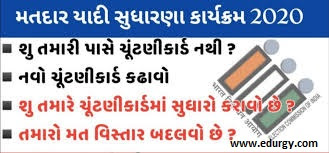
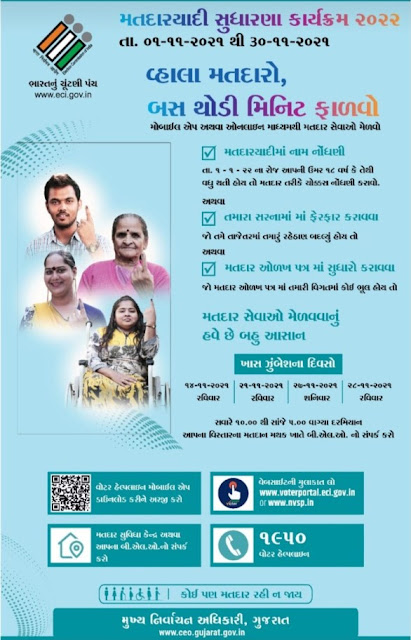
Matdar Yadi Sudharna Karyakram 2021

 Matdar Yadi Sudharna Karyakram 2021

Matdar Yadi Sudharna Karyakram 2021

Voter Helpline app provides following facilities to Indian voters
 
A. Electoral Search (#GoVerify your name in the electoral roll)
B. Submission of online forms for New Voter Registration, shifting to a differentthe constituency, for Overseas Voters, Deletion or Objection in the electoral roll, correction of entries & Transposition within Assembly.
C. Register Complaints related to Electoral Services and track its disposal status
D. The FAQ on Voter, Elections, EVM, & Results
E. Service & Resources for Voters & Electoral Officers
F: Find the Election Schedule in your area
G: Find all the candidates, their profile, Income Statement, assets, criminal cases
H: Find the Polling Officials and call them: BLO, ERO, DEO and CEO
I: Click a selfie after Voting and get a chance to be featured in the Official Voter Helpline App Gallery.
J: Download the list of Contesting candidates in PDF format and take the print out.

 How To Download e-EPIC Card ?

How to download digital voter ID card On https://voterportal.eci.gov.in/, or https://nvsp.in.e-EPIC is a non-editable secure portable document format (PDF) version of the EPIC and will have a secured QR code with image and demographics like serial number, part number, etc.The e-version of the voter ID card is non-editable and it can be saved in facilities such as digital locker and can be printed in the PDF format.

Download e-EPIC Card

 Voter Helpline App is the comprehensive app for Indian Voters to search their name in the electoral roll, submit forms for voter registration & modification, download their digital photo voter slips, make complaints, find details about the contesting candidates and most importantly see the real-time results of the elections.

Matdar Yadi Sudharna Karyakram 2021


How To search your name In voter List Gujarat :

  • First Open official gujarat Government site http://secsearch.gujarat.gov.in/search/default.aspx
  • Then fin Search name in voter List Tab
  • Then Select one from following option
  • Corporation/Nagarpalika/Taluka-district Panchayat
  • then entre Your Name or epic card no.
  • Enter Captcha code
  • After Than press Search button and wait for your details

 Important Links :


Matdar yadi sudhara karykram babat 13-09-2021


Download Link


મતદાર યાદી સુધારણા પ્રોગ્રામ 2021-22 પરિપત્ર


Download Link


Search Your Name – voter List.


Click Here


Check List in Gujarat


Click Here


Official Voter Helpline App


Download Link


Official Website


https://erms.gujarat.gov.in/


Read More »

Monday, November 8, 2021

Thermometer - Hygrometer & Ambient Temperature app

 Thermometer - Hygrometer & Ambient Temperature app

 
Thermometer - Hygrometer & Ambient Temperature app

થર્મોમીટર – હાઇગ્રોમીટર , તાપમાન માપો – એ થર્મોમીટરની એપ્લિકેશન છે, ભેજ મુક્ત ડિઝાઇન તમને હવામાનનો ટ્રૅક રાખવામાં ખૂબ જ સારી રીતે મદદ કરે છે જેથી જ્યારે તમે ઘરની બહાર નીકળો ત્યારે તમારી પાસે સારી તૈયારી હોય! તમને ઇન્ટરનેટની જરૂર હોય ત્યાં તમે તાપમાન માપી શકો છો અને ભેજ માપી શકો છો. વધુમાં તે તમને તમારા સાધનોનું તાપમાન માપવામાં મદદ કરી શકે છે. તે તાપમાન માપક તરીકે કામ કરે છે.

► મુખ્ય વિશેષતાઓ:

થર્મોમીટર - તમે જ્યાં પણ હોવ ત્યાં હવામાનનું નિરીક્ષણ કરવા માટે મફતનું હાઇગ્રોમીટર


👉🏿 તમે આઉટડોર તાપમાન, ભેજ, પવન શક્તિનું નિરીક્ષણ કરી શકો છો
👉🏿  તે ખૂબ જ સરળ છે પરંતુ ખૂબ અસરકારક છે! તમારે ફક્ત એપ્લિકેશન ખોલવાની, ઇન્ટરનેટ ચાલુ કરવાની જરૂર છે અને નેવિગેશન ઉપકરણ તમને તમે જ્યાં રહો છો તે હવામાન પરત કરશે.
👉🏿  રીસેટ બટન દબાવવા પર તમે તાપમાન માપી શકો છો, ભેજ માપી શકો છો, પવનની ગતિને તરત જ માપી શકો છો.

👉🏿તમે સરળતાથી સેલ્સિયસ અને ફેરનહીટ વચ્ચે સ્વિચ કરી શકો છો.

BMI Calculator Online Calculate your BMI Online

થર્મોમીટર - હાઇગ્રોમીટર, તાપમાન માપવા તમને તાપમાન CPU માપવામાં અને તાપમાન બેટરી માપવામાં મદદ કરે છે

આગામી 5 દિવસ માટે હવામાનની આગાહી, અમે તમારા સ્થાન પર હવામાનની આગાહી પ્રદાન કરીએ છીએ, એપ્લિકેશન દિવસના કલાક દ્વારા તાપમાન, ભેજ અને વર્તમાન હવામાનની સ્થિતિની આગાહી કરશે.

મુખ્ય વિશેષતાઓ :

થર્મોમીટર - તમે જ્યાં પણ હોવ ત્યાં હવામાનનું નિરીક્ષણ કરવા માટે મફતનું હાઇગ્રોમીટર
-તમે આઉટડોર તાપમાન, ભેજ, પવન શક્તિનું નિરીક્ષણ કરી શકો છો.

- તે ખૂબ જ સરળ છે પરંતુ ખૂબ અસરકારક છે! તમારે ફક્ત એપ્લિકેશન ખોલવાની, ઇન્ટરનેટ ચાલુ કરવાની જરૂર છે અને નેવિગેશન ઉપકરણ તમને તમે જ્યાં રહો છો તે હવામાન પરત કરશે.

- રીસેટ બટન દબાવવા પર તમે તાપમાન માપી શકો છો, ભેજ માપી શકો છો, પવનની ગતિને તરત જ માપી શકો છો.

How to Use WhatsApp Without Phone Number or SIM

તમે સરળતાથી સેલ્સિયસ અને ફેરનહીટ વચ્ચે સ્વિચ કરી શકો છો.

●થર્મોમીટર - હાઇગ્રોમીટર , માપો ● તાપમાન તમને માપવામાં મદદ કરે છે ● તાપમાન CPU અને માપવામાં ● તાપમાન બેટરી

તમારા માટે પસંદ કરવા માટે ઘણી થીમ્સ.-
તમારા મનપસંદ પૃષ્ઠભૂમિ રંગને પસંદ કરવા માટે ઘણા વિષયો છે.

સ્ક્રીન બ્રાઇટનેસ કસ્ટમાઇઝ કરો - તમે સ્ક્રીનની બ્રાઇટનેસ કસ્ટમાઇઝ કરી શકો છો જેથી તે આંખો માટે શ્રેષ્ઠ હોય

How to protect eyes from mobile and computer screens

સલાહ

◉ તમારે ઇન્ટરનેટ ચાલુ કરવાની જરૂર છે જેથી કરીને એપ્લીકેશન હવામાનના વર્તમાન પર નજર રાખી શકે..

◉ કારણ કે થર્મોમીટર – હાઇગ્રોમીટર , હવામાન હવે સ્થાન અનુસાર તાપમાન અને ભેજને માપે છે, કૃપા કરીને ચાલુ સ્થિતિને મંજૂરી આપો..

IMPORTANT LINK::

DOWNLOAD THERMOMETER APP

Read More »

How to Use WhatsApp Without Phone Number or SIM

 How to Use WhatsApp Without Phone Number or SIM

How to Use WhatsApp Without Phone Number or SIM

 Within days of Whatsapp announcing its privacy policy, users began protesting. If many users delete this app forever, some users will leave

Whatsapp and start using secure apps like Telegram and Signal. Everyone in Teva is worried about privacy. So today we have come up with some

tricks for you that you can use Whatsapp without a phone number.

If you want to use Whatsapp without a phone number you will need a virtual number.
All you have to do is download the TextNow application to your phone. By going to TextNow you first have to create a free account and then select
one of the 5 numbers located in USA and Canada. You can also make calls and text using this number

If you already have Whatsapp downloaded in your phone, you need to uninstall it here. The platform will ask you for your phone number when you sign in to Whatsapp. But before that you have to open the TextNow app. Now when you login to Whatsapp you will be asked for the phone number along with the STD code. You have to login using one of the 5 foreign phone numbers. You can use the number in the US and Canada without fear of privacy.

Run Whatsapp without personal number

If you already have Whatsapp downloaded in your Phone, you need to uninstall it here. The platform will ask you for your phone number when you sing in to whatsapp. But before that you have to open the TextNow app. Now when you login to Whatsapp you will be asked for the phone number along with the STD code. YOu have to login using one of the foreign phone numbers. You can use the number in the US and Canada without fear of privacy.

ગુજરાતી વાંચવા માટે અહી ક્લિક કરો

Read More »

Wednesday, November 3, 2021

Digital Banner: Best Festival Greeting Card Maker App

 Digital Banner: Best Festival Greeting Card Maker App

 
Digital Banner: Best Festival Greeting Card Maker App

 “How Do I Make Banner Images on my Phone just within no time ?”

Creating a banner for social media marketing or your business purpose is no longer a challenge. With quick and easy features, you can create ad offers, posters, pamphlets or promotional posts for your WhatsApp business app.
 
So, download the Digital Banner app, and start exploring your creativity by editing, pruning, adding effects and mixing it with high quality image. Yes, you can add awesome stickers and customize the theme that will transform your regular post into a finely tuned professional post.
 
 A few of the most popular features of Festival greeting card maker App are-
 
⦁ Customize the text, logo and theme – Crop and Rotate
⦁ Easy to download and easy to share
⦁ Over 100+ Categories are available like
⦁ Festivals
⦁ Greetings
⦁ Motivational
⦁ Business ethics
⦁ Devotional
⦁ Inspirational thoughts
⦁ Good Morning & Good Night
⦁ Happy Birthday and Anniversaries, Death Anniversaries Wishes and many more.
⦁ Full support on the editing tools – Redo/Undo Changes
⦁ Free graphical app with personalized offers and discounts
 
 
Republic, Independence, April Fool's Day, Blood Donor, Earth, Eid Milad, Father, Mother, Women, Friendship, Gujarat, Labor, Teacher, Technology, Valentine, Water, Cancer, Environment, Health, Wildlife, Celebrating days and festivals like Nontobaku, AIDS, Doctors, Youth Day, Lohri, Makarsankranti, Pongal, Holi, Basant Panchami, Shivratri, Baisakhi, Ram Navami, Ramzan, Raksha Bandhan, Janmashtami, Ganesh Chaturthi, Navratri, Durga Ashtami, Karva Choth, Narak Di Chaturdashi, Pateti, Onam and much more. And we also offer birth anniversaries of God and freedom fighters
 
 
But, how do I create a banner ?

⦁ Go to the Play Store and type ‘Digital Banner App’ and Download it
⦁ Select the 100+ categories from festivals to theme based
⦁ Start making your banner and explore similar options in the app
⦁ Save your poster and Start Downloading
⦁ Share to your Story or Status

 Click Here To Download Application

Read More »

Monday, November 1, 2021

Photo Compress & Resize for Andrios - APK Download

 Photo Compress & Resize for Andrios - APK Download

Photo Compress & Resize for Andrios - APK Download

Photo Compress & Resize:Photo Compress is a Compress & Resize app to help you resize photos.Photo Compress & Resize helps you quickly reduce your picture size or resolution. Optimize your images with a perfect balance in quality and file size.Lit Photo is also a super easy to use application to crop and rotate your photos.

ટોચની 10 શોર્ટ વિડીયો મેકર એપ

Photo Compress & Resize

Photo Compress & Resize uses smart lossy compression techniques to reduce the file size of your photos. By selectively decreasing the number of colors in the image, fewer bytes are required to store the data. The effect is nearly invisible but it makes a very large difference in file size! You don’t have to manually save resized pictures, because they are automatically saved in a separate folder titled ’LitPhoto’ and are accessible via build-in Gallery app.If you want to quickly reduce the picture size, Lit Photo is a perfect choice.

Download Photo Compress & Resize

Use the crop functionality to remove unwanted portions of the image and choose between the many aspect ratio available to better adjust your photo. This photo cropping tool is best among google play store photo cropping tool to image crop the borders for pictures and you can sharpen image.

Photo Compress helps you compress photos before sharing photos with your friends via social networks. When you send the e-mail with attached photos, you will often find that the e-mail exceeds the message size limit. For example, if your email account allows you to send messages up to 5 megabytes (MB) and you include just two pictures in the attachment (today’s pictures taken by a phone or tablet camera are about 5 or 8 MB), you will probably exceed the maximum message size. In this case, this image resize app is very helpful, because it helps to avoid exceeding the maximum message size limits associated with most email accounts. Compress pictures before composing the e-mail and then attach much smaller photos.

મોબાઈલ અને કોમ્પ્યુટર સ્ક્રીનથી આંખોને કેવી રીતે બચાવવી

 Photo Compress & Resize Features : 

  • Batch compress (multiple photos compress)
  •  Original pictures are not affected, compress pictures are automatically saved in the ‘LitPhoto’ directory
  •  Very good quality of the compressed photos and optional compress quality
  • Rotate the photo by 90° either clockwise and then crop the photo
  • Use finger to zoom/move, rotate the crop area on the photo
  • Share photos with your friends via social networks:sent via email or text message shared to social media (Instagram, Facebook, Flickr, Google+, KakaoTalk, etc.)
  • Browsing and handle your photos easily, easy to use with simple UI

 Download Photo Compress & Resize

Read More »

Tuesday, October 26, 2021

How to protect eyes from mobile and computer screens

How to protect eyes from mobile and computer screens

 How to protect eyes from mobile and computer screens

 Take care of your eyes! The application will allow you to form healthy habits for your eyes.

 क्या स्क्रीन आपकी आंखों की रोशनी खराब करती है?

डिजिटल आई स्ट्रेन (डीईएस) आज पहले से कहीं अधिक आम है क्योंकि लगभग हर कोई दैनिक जीवन में स्क्रीन का उपयोग करता है।

जबकि हर कोई हर दिन कंप्यूटर स्क्रीन पर नहीं बिताता है, ज्यादातर लोग स्मार्टफोन का उपयोग करते हैं। विशेषज्ञों का सुझाव है कि डेस लगभग 50% कंप्यूटर उपयोगकर्ताओं में होता है।

तो, क्या स्क्रीन आपकी आंखों की रोशनी खराब करती हैं? खैर, अच्छी खबर यह है कि आंखों में खिंचाव कोई दीर्घकालिक समस्या नहीं है।

कंप्यूटर आई स्ट्रेन
स्क्रीन का आंखों पर क्या प्रभाव पड़ता है? देखने के लिए कई लक्षण हैं, और आप कंप्यूटर या स्मार्टफोन का उपयोग करते हैं या नहीं, इसके आधार पर वे थोड़े भिन्न होते हैं। आइए जानते हैं ऐसे ही कुछ लक्षणों के बारे में और उनसे कैसे बचा जा सकता है?

 कंप्यूटर आई स्ट्रेन लक्षण
अमेरिकन ऑप्टोमेट्रिक एसोसिएशन मानता है कि आंखों में खिंचाव के सबसे आम लक्षण सिरदर्द, धुंधली दृष्टि, सूखी आंखें और चरम मामलों में, गर्दन और कंधे में दर्द हैं।

जब आपकी आंखें तनाव में होती हैं, तो वे आपके शरीर के बाकी हिस्सों को बताती हैं कि कुछ गड़बड़ है।

सूखी आंखें इस तथ्य के कारण होती हैं कि हम स्क्रीन पढ़ते समय अवचेतन रूप से पलक झपकना बंद कर देते हैं, और अन्य दर्द प्रतिक्रियाएं शरीर के संकेत के कारण होती हैं कि कुछ गलत है।

जब आप काम के लिए पूरे दिन कंप्यूटर का उपयोग करते हैं, तो लंबे समय तक स्क्रीन का उपयोग करने के बाद ये लक्षण उत्पन्न होंगे।

आइए नजर डालते हैं कि आंखों को स्क्रीन से कैसे बचाएं।

Download Age Calculator

 कंप्यूटर स्क्रीन से आंखों की सुरक्षा कैसे करें

1. 20/20/20 नियम का प्रयोग करें
आपकी आँखें पूरे दिन सीधे आपके सामने किसी चीज़ को देखने के लिए डिज़ाइन नहीं की गई हैं। 20/20/20 नियम के साथ, आप लंबे कार्य दिवसों के दौरान अपनी आंखों को बहुत जरूरी ब्रेक देते हैं।

यदि आप स्क्रीन को 20 मिनट तक देखते हैं, तो आपको 20 सेकंड के लिए अपने से कम से कम 20 फीट दूर किसी चीज को देखना चाहिए। हालाँकि, आप जितनी देर अपनी स्क्रीन से दूर दिखेंगे, उतना ही अच्छा है!

2. सुनिश्चित करें कि आपका कमरा अच्छी तरह से प्रकाशित है
यह उल्टा लग सकता है, लेकिन जब आप कंप्यूटर पर काम कर रहे हों तो आपके कमरे में कम रोशनी वास्तव में आपकी आंखों के लिए बेहतर होती है। कार्यालय बहुत उज्ज्वल नहीं होने चाहिए, इसलिए जब संभव हो, अपने पर्दे बंद कर दें और फ्लोरोसेंट लाइटिंग का उपयोग कम करें।

कम वोल्टेज वाले बल्बों का उपयोग करें और सुनिश्चित करें कि आपके परिवेश की रोशनी औसत कार्यालय की तुलना में लगभग आधी है।

3. नियमित रूप से आंखों की जांच कराएं
नियमित आंखों की जांच से आपको अपनी आंखों के स्वास्थ्य को नियंत्रित रखने में मदद मिलती है और यह सुनिश्चित होता है कि आपकी समस्याएं सामान्य आंखों के तनाव से भी बदतर नहीं हैं। यह आपको अपनी आदतों और आंखों के स्वास्थ्य के बारे में किसी विशेषज्ञ से बात करने का एक शानदार अवसर भी देता है!

4. चमक कम करें
आपके कंप्यूटर स्क्रीन पर चकाचौंध आंखों में खिंचाव पैदा कर सकती है क्योंकि यह आपकी आंखों को उस सामग्री के साथ आसानी से समायोजित करना बंद कर देता है जिस पर आप ध्यान केंद्रित करने का प्रयास कर रहे हैं।

जहां संभव हो वहां एंटी-ग्लेयर मैट स्क्रीन का उपयोग करें (कांच से ढके एलसीडी के बजाय)। यदि आप एक चश्मा पहनने वाले हैं, तो सुनिश्चित करें कि आपके लेंस में एक विरोधी-चिंतनशील कोटिंग है।

5. उच्च-रिज़ॉल्यूशन स्क्रीन का उपयोग करें
अधिकांश लोगों को अब CRT स्क्रीन का उपयोग करने की आवश्यकता नहीं है। ये कम रिफ्रेश दरों वाली पुरानी कंप्यूटर स्क्रीन हैं, जो एक ध्यान देने योग्य झिलमिलाहट पैदा करती हैं जिससे आपकी आंखें असहज महसूस करती हैं।

आज, स्क्रीन आमतौर पर 75Hz या उससे अधिक की ताज़ा दरों की पेशकश करती हैं। जितना ऊँचा उतना अच्छा। इसके अलावा, उच्च रिज़ॉल्यूशन वाली स्क्रीन अधिक सजीव दिखाई देती हैं। जब आप पिक्सल नहीं देख पाते हैं, तो आपकी आंखें आपके सामने की छवियों को समझने के लिए उतनी मेहनत नहीं करती हैं।

6. ब्लू लाइट कम करें
नीली रोशनी की तरंग-लंबाई कम होती है और यह आंख को नुकसान पहुंचाने के लिए जानी जाती है। विशेषज्ञ चश्मे का उपयोग करके नीली रोशनी कम करें या अपनी स्क्रीन का रंग तापमान कम करें। यह दीर्घकालिक उपयोग के लिए आदर्श है।

BMI Calculator Online Calculate your BMI Online

 मोबाइल फोन आई स्ट्रेन
कंप्यूटर की तरह, मोबाइल फोन की स्क्रीन आंखों में खिंचाव पैदा करने का अवसर प्रदान करती है। तथ्य यह है कि हम लगभग हर चीज के लिए कलम और कागज के स्थान पर उनका उपयोग करते हैं, इसका मतलब यह है कि हम सभी को इस बारे में बात करने की ज़रूरत है। लेकिन फोन आपकी आंखों को कैसे प्रभावित करता है?


फोन के लक्षणों से आंखों में खिंचाव
फोन के लक्षणों से आंखों का तनाव काफी हद तक कंप्यूटर आई स्ट्रेन के लक्षणों जैसा ही है। मोबाइल फोन के आई स्ट्रेन के कारण आंखों में सूखापन और जलन, आंखों के आसपास दर्दनाक धड़कते सिरदर्द और यहां तक ​​कि धुंधली दृष्टि भी हो सकती है।

हालाँकि, हम अपने फोन का उपयोग कंप्यूटर के लिए अलग तरह से करते हैं। कंप्यूटर के साथ, हम घंटों स्क्रीन पर देखने में बिता सकते हैं।

हम दिन भर में कम समय के लिए स्मार्टफोन का उपयोग करते हैं जो कुल घंटों का उपयोग कर सकता है। यह आंखों के लिए बेहतर है, लेकिन अगर आप डिवाइस का उपयोग करते समय तनाव महसूस कर रहे हैं, तो इसका मतलब यह हो सकता है कि ये लक्षण पूरे दिन आपके साथ बने रहते हैं, आपको यह एहसास नहीं होता कि वे मोबाइल फोन की आंखों के तनाव का परिणाम हैं।

आइए एक नजर डालते हैं कि फोन स्क्रीन से आंखों की सुरक्षा कैसे करें।

The Best Free & Safe Aging App In 2021: YouCam Time Machine

फोन से आंखों की सुरक्षा कैसे करें

1. स्क्रीन सेटिंग्स समायोजित करें
यह भूलना आसान है कि आपकी स्क्रीन को अनुकूलित किया जा सकता है, क्योंकि यह बिल्कुल अलग दिखती है! हालाँकि, हर किसी की नज़र अलग होती है, और सभी स्मार्टफ़ोन आपको कंट्रास्ट, ब्राइटनेस और टेक्स्ट सेटिंग्स बदलने की अनुमति देते हैं।

जब आप अपने घर में हों तो चमक कम करें, या अपने परिवेश के आधार पर अपने फ़ोन को समायोजित करने देने के लिए स्वचालित चमक सेटिंग चालू करें। टेक्स्ट संदेशों को पढ़ना भी आसान बनाने के लिए टेक्स्ट का आकार बढ़ाएं!

2. एक समझदार दूरी रखें
आपको अपने फ़ोन की स्क्रीन पर 16 से 18 इंच की दूरी से सब कुछ देखने में सक्षम होना चाहिए। अपने फोन को बहुत पास न रखें, लेकिन अगर आप खुद को फोन को करीब लाते हुए पाते हैं, तो इसके बजाय अपनी स्क्रीन पर ज़ूम इन करने पर विचार करें।

3. नाइट मोड का प्रयोग करें
आधुनिक Android और Apple स्मार्टफ़ोन नाइट मोड सुविधाएँ प्रदान करते हैं जो रात में आपकी आँखों पर तनाव को स्वचालित रूप से कम करना आसान बनाती हैं। सुविधा को चालू करें, और आपका फ़ोन दिन के समय के आधार पर स्क्रीन सेटिंग्स को स्वचालित रूप से समायोजित करेगा।

4. पलक झपकाना न भूलें!
यह मूर्खतापूर्ण लग सकता है, लेकिन जब हम स्मार्टफोन और टैबलेट का उपयोग कर रहे हों तो पलक झपकना भूलना आसान है। अवचेतन रूप से, हम सामग्री पर इतने केंद्रित हो जाते हैं कि हम केवल डिवाइस को ही देखते हैं।

हर बार जब हम पलकें झपकाते हैं, तो हम अपनी आँखों को नम रखते हैं और अपनी आँखों पर ध्यान केंद्रित करते हैं। तनाव और सूखापन से बचने के लिए इसे अक्सर करें।

5. एंटी-रिफ्लेक्टिव स्क्रीन प्रोटेक्टर्स का उपयोग करें
स्मार्टफोन की स्क्रीन चमकदार होती है, लेकिन मैट स्क्रीन प्रोटेक्टर आपको पुरानी स्क्रीन वाली एलसीडी फिनिश देते हैं। वे आपकी स्क्रीन की सुरक्षा करते हैं और वे परिवेशी रोशनी या धूप से चकाचौंध को कम करते हैं। वे सस्ती भी हैं!

6. कृत्रिम आँसू का प्रयोग करें

सभी प्रकार के आंखों के तनाव के लिए, चाहे वह कंप्यूटर या मोबाइल उपकरणों के कारण हो, आंखों को आराम से चिकनाई रखने के लिए कृत्रिम आंसू एक प्रभावी उपकरण हो सकते हैं। बाजार में कई प्रकार के लुब्रिकेटिंग आई ड्रॉप हैं - दोनों परिरक्षकों के साथ और बिना - जिन्हें काउंटर पर खरीदा जा सकता है। आपको जो सबसे अच्छा लगता है उसे खोजने से पहले आपको कई प्रयास करने पड़ सकते हैं।

 Click Here To Download Application

Read More »

Monday, October 25, 2021

Top 10 Short Video Maker App With Music Effect

 Top 10 Short Video Maker App With Music Effect

 Scroll down to be aware of 2021’s pinnacle 10 android video editors. Be it features, evaluations on playstore, price, execs & cons; we have the whole lot at your disposal.

1. Filmr

2. Quik

3. FilmoraGo

4. Kinemaster

5. Viva Video

6. WeVideo

7. Video Show

8. Magisto

9. InShot

10. Power Director

1. Filmr


Key Features : 

 There are no restrictions on the range of images / videos you can import

- Easy and distinctive transitions between videos

- Multiple fonts to make your textual content stand out

- Easily switch video structures: horizontal (16: 9 and 4: 5), vertical (4: 3), memories (9:16), and rectangular (1: 1)

- 20 million + royalty free track library

- Special filters and results to seriously change the video

 Pros:

- The exceptional factor about Filmer is that it has zero ads!

 - It has a vertical modifying timeline that makes it great for video enhancement, unlike different apps

- Rearrange videos, photos and audio dio clips with a simple drag-and-drop

  Lets you find any music or add song from your existing files with easy search

- Reverse, rotate and flip movies with one tap

- Get rid of watermarks without problems just by looking at the ad or going to the PRO

- Save to gallery or export to any social media app at once

- Set the duration of the transition to a specific second

- Shoot and edit movies directly using the app

- Customize the duration of the textual content on the video on the textual content bar

Cons:

- There is no undo option in its Android version

- Limited range of filters

-Voice es-over cannot be reported without delay on the application

- Cannot select video decision before saving

- It no longer helps more than one language


Download From Play Store: Click Here

Disable Touch APK Download 

2. Quik

 Quik Video Editor

Quick is a free video editor presented to you using GoPro. With this app, you can create notable movies in just a few taps. It regularly provides transitions and results and applies bit-synced issues to create amazing and shareable edits.

GoPro's Quik is a modifying application for humans who are editing movies with their GoPro camera. However, it does help increase points from any source. With Quick, you can add transition effects, titles, filters, song and extra to make your video more innovative and unique.

1080p or 720p and share it on social networking sites without delay. You add up to seventy images and video clips to the app which then analyzes them and pulls out a short video from them. It offers more than 12 points to work with.

Review: Quick has received a universal ranking of 4.4 / 5 based mainly on the opinions of 476,637 users.

Price: Free

Key Features:

- Add up to seventy photographs and video clips from your gallery, cloud storage or GoPro Plus

- Compatible with action pictures

-Unlimited back-up at one hundred percent quality

- GPS stickers to show GoPro video speed

-Ai-powered face, movements and sound detection for ideal frames. Open to guide updates

- 23+ subject matters for any occasion

- Record videos, trim or rotate, add text content overlays, trade video speed

- Videos in many dimensions - square, portrait or cinema

- Add 100+ free songs to history or your own

- HD 1080p export

- QuikStories - Works with the GoPro app and integrates great movies with media shots within seventy hours off.

- The PRO model regularly backs up your GoPro footage

Key Features of Quik Video Editor

Pros:

- Can deal with movies taken from any digital camera or device

- Handles 4k video, which is a tremendous win over various apps

- Now the watermark does not go away

- Great for easy raising

- Quick's mural function lets you create your quirky photographs as separate events

- Auto edits the track to fit the video bit

Cons:


- Keeps your venture on cloud storage for just a limited amount of time so you don't have to go back and edit it whenever you choose.

- Absence of undo selection makes it difficult to go back to the previous edit

- Unsatisfactory customer support. Problems and bugs remain unresolved even after various reviews using users.

- Automatic edits make it less on customization

Download From Play Store : Click Here

Google Assistant for hands-free help Aps

3. FilmoraGo

FilmoraGo video editor

Relatively effective video editor application, which will no longer limit the time to watermark or area on your clip. FilmoraGo gives you all the expert modified tools to maintain with ease of use. It helps you create respectable films with a wide range of results and presets. You can share your movies with your friends from the right platform on YouTube, Instagram, Facebook, WhatsApp.

When you choose to travel a common thing, the Filmmora business is your partner. He is one of the fastest video creators of extraordinary and remarkably encouraging. Unlike various tools, it can only pay interest to let you create something new. With its amazingly modified functionality, you'll be in a position to put your creativity to the truth with ease. Overall, this device should not be left out when it comes to creating short videos for your business.

Review: FilmoraGo received a standard ranking of 4.6 / 5 based primarily on comments from 626,723 users.

Price:
Filters and results can be sold using in-app purchases ranging from $ 0.99 to $ 34.99 per item

Key Features:

- Import from social networking websites like Instagram and Facebook

- Extensive library of licensed songs

- Lip sync your videos

- Make films in quite a number of dimensions - square, cinema

- Reverse video, trim or rotate, add textual content overlay, play with speed

- Multiple fast or slow speeds in the same video

- Change title action and timeline, can add more than one title

- Supports many global languages ​​like German, Italian, Turkish, Japanese, Korean, Arabic, Russian, French, Spanish etc.

Key Features - FilmoraGo Video Editor

Pros:

- Easy to use and full of free features

- Commercially made, excellent videos

- Access to great preset templates in PRO version

Cons:

- The abundance of presets, filters and results is no longer supported by how strong tutorials.

- Audio usually fades in the direction of leaving the video

- Horizontal timeline makes video enhancement cumbersome

Download From Play Store : Click Here

BMI Calculator Online Calculate your BMI Online

 4. KineMaster

 KineMaster Video Editor


KineMaster is a full-featured videotape editor for Android. It has important tools that are easy to use. It has over 2500 downloadable transitions, goods, videos, images and transitions. The addition of EQ presets, docking and volume envelope tools makes audio on Kinemaster super immersive and important. The decoration subscription also offers unlimited exports in judgments up to 4K.

KineMaster is another accessible videotape editing software for Android mobile. It offers several layers of videos, images, textbooks, materials, overlays, stickers and handwriting attached to an instant exercise point to view the edit. It shows a specific volume control from moment to moment in the clip. KineMaster further offers color LUT pollutants, speed control, hue crucial compositing and 3D transitions.

 Review KineMaster has an overall rating of 4.4 / 5 based on drug reviews.

 Price

 Monthly charge after seven days free trial

18.10

Annual subscription

$ 3.47


Important features

-Plates, sources, stickers, transitions, clips and more to back up your videotape

. - Multiple layers of videotape, stickers, images, textbook etc.

. -It includes a keyframe vitality tool to add movement to the layers

-Voice over, voice changers, sound goods, background music

. - Produce beautiful goods with blending mode

- Share on YouTube, Facebook, Dropbox, etc.


 Important Features - KineMaster Video Editor

Pros

- Includes green screen, audio editing, routing, volume control, hue key and more

. - Can add multiple audio and videotape layers which is best for advanced generators

- Can download coefficients like stickers, images, backgrounds etc. From his asset store

- Continuously streamlined YouTube channel for style-to-tutorials

 Cons

- Hard to cut video and audio with a tightly fitted timeline

-Takes time accustomed

-Subscription does not reflect bias at certain times

-The app only works in vertical mode which can feel a little uncomfortable

- Extremely advanced for newcomers

- Leaves watermark in free interpretation

 Download From Play Store : Click Here

Download Age Calculator

 5. VivaVideo

VivaVideo Video Editor


VivaVideo comes with videotape editing features such as creating videos from Filmland with music, editing videos with transitions, combining videotape clips, adding music to videotape, and more. It has hundreds of special items / stickers / pollutants / animated clips to transform your videos. You can take video taps to your social media handles directly from the app.

ViVaVedio is a really popular editing application for vids. It is stylishly suited for short clips for social media. It has all the necessary functions like slice and paste video, transwing, inserting clips etc. It offers a wide variety of collage templates and themes to choose from, including a videotape collage maker to include videotape clips with more than 200 videotape contaminants.

However, VivaVideo has a free interpretation that comes with a watermark and a time limit for any given videotape, you can buy Pro Interpretation to pierce all the available features.

Review VivaVideo has an overall rating of 4.6 / 5 based on drug reviews.

Cost: Annual plan
 2.23

Monthly personality class

11.85

Important features

-Professional music video tape maker with lyrics and accessories

-Make videos from filmland and songs fluently

- Lots of videotape editing stuff blurred background, reduces video, speeds up video, etc.

. - Combine multiple videotape clips to create a videotape

-Can cut, edit, assemble, bury while videotape

. - Import videos to your requested resolution such as 720p, 1080p, 4K, etc.

 Critical Features - Vivavideo Video Editor

 Pros

-It has an inbuilt slow-stat videotape creator

-It works exceptionally well for short clips for social media

-Really easy to use for an amateur

. - Cut clips and place them anywhere you like

 Cons

-Every new update causes problems in app performance

-Tends to delete a textbook or image or put it anywhere on videotape

. -Multiple problems when adding music to videotape

- Difficult to add and manage more than one audio / videotape train

-A large number of ads in free interpretation makes it fragile to focus

 Download From Play Store : Click Here

How to Check Vehicle Owner Details By Registration Number


6. WeVideo

 WeVideo Video Editor 

WeVideo for Android makes it easy, presto and fun to produce and share amazing videos. It has been featured in TechCrunch, CNET, ReelSEO, The Next Web, Wired and more. With VideoVideo's videotape editor app, you can capture memories wherever you are and convert them into breathing videos and take them to YouTube, Facebook, Twitter, Instagram and more.

VVideo is a one-of-a-kind cooperative videotape editing app. It allows you to create, edit and publish vids. It offers really advanced features and functions including audio editing capabilities, a library of commercially certified music and the ability to take videos in 4K resolution. Still, only 10 GB of Pal Storehouse is available.

The free interpretation comes with all the basics which is more like a free trial than the actual free interpretation, if you want to make more than one videotape, you will need to upgrade to a decorative interpretation.

WeVideo Professional or Business Plan really has more advantages such as extensive music and theme libraries, professional-quality plates, no WeVideo watermarks, etc.

Review WeVideo has an overall rating of 4.0 / 5 based on drug reviews.

Price

Business plan

$ 41.81 / month and $ 249.47 / time

Unlimited plans

$ 14.63 / month and $ 86.41 / time

Power plan

$ 9.06 / month and $ 53.66 / time

Mobile pass

$ 3.76 one time pass

Important features

- Produce stunning videos with exceptional videotape themes and videotape pollutants

-With name upgrade, you can release 4K Ultra High Definition Video Tape

. - Use obscure backgrounds to enhance your vertical video

-Add your own music for a custom soundtrack or use its monarchy-free library

- Publish and upload to YouTube, Drop Roop Pub Box X, Instagram, Facebook, etc.

Critical Features-Video Editor

Pros


-Good for initial videotape editing conditions

- Easy to create slideshow with hardly any difficulty

- Good for fast social media sharing and compendium

Cons

- Really limited music, textbook resources and themes in the free account

- Requests authorization to pierce a product operation that looks like an intrusion

-You can't remove the watermark in free interpretation

- Tough to match the beat of music with videotape

-Video tapes cannot be taken directly on any social media

 Download From Play Store : Click Here

Apne Naam Ki Ringtone ( My Name Ringtone ) Kaise Banaye.

7. VideoShow

 VideoShow Video Editor


Videoshows offers excellent videotape editing features. It is a simple and practical video tape editing app and movie scene maker for both art directors and newcomers. With the help of this videotape knife, you can reverse, blur, duplicate, edit, merge, trim, split, collage clips or videos.

Videoshows also allow you to add a formula to any videotape or change its audio. It lets you take any videotape on your device and apply various contaminants. The app has over 50 elaborate themes for inconsistent stunning music videotape / slideshow / blogs.

The video show has received an overall rating of 4.6 / 5 based on drug reviews.

Price

Periodic subscription

135.19

One time purchase

$ 225.78

Important features

- Prepare cultural formulas with different sources and styles of textbook

- Reduce the size of the videotape directly in the application

- Easy and practical for professionals as well as newcomers

- Bones can shoot videos and edit them fluently through the app

-Being video can reward audio

- Portrait on videotape (only in personality interpretation)

Critical Features-Video Show Video Editor

Pros

-Great transitions and multiple music choices

- Can add numerous images to one videotape

- Supports collage of images on videotape

- Join multiple videos in a single clip

-Beautiful themes for raising weeds

- Can set specific time - Cut to change audio

 Cons

- Problem when participating in videos directly on social media

- Lack of quality after exporting videotape

-Themes can only be used in square mode

Watermark in free interpretation

-2K advanced quality video cannot be edited in free interpretation

 Download From Play Store : Click Here

The Best Free & Safe Aging App In 2021: YouCam Time Machine

 8. Magisto

Magisto Video Editor


Magistrates use sophisticated A.I. To find first-rate components of your recording. It makes great use of enhancement methods, including video stabilization, filter object detection, effects, and auto-cropping, making stunning movies better than a normal slideshow or collage.

Magisto Video Editor allows you to create / edit movies and turn them into compelling videos. It combines video clips, photos, music, text, video effects and video filters to help you create a great video without the need for a terrific effort using Artificial Intelligence (AI). All you have to do to use Majesto to edit movies is to observe the following steps:

Choose your fashion-enhancing video, that is, the kind of story you are telling,

Then select the pictures and video clips you want to include,

Finally, select your tunes from Majesty's built-in track library.

It has a direct option to share movies on Facebook, WhatsApp, Instagram, Vimeo, YouTube and Twitter, as well as the best tools for vloggers and marketers.

Designed as your 24/7 private film editor, Magisto combines clips, photos, filters, music, text and results to help you tell your story. At once, Majesty will present you with a fairly automated personalized mourning film by changing pictures and video clips from your gallery.

Review: Majesty has received a general ranking of 4.1 / 5 based on an evaluation of 1,133,767 users.

Price:

Monthly subscription

5.85

Annual subscription

.4 18.43 annual payment, [$ 1.53 / month]

Key Features:

- Share your video content content on social networking structures with a single tap

- Choose split royalty-free tracks using style, temperament and class

- Add tunes from your device all at once

- Attach clips, photos, stickers, music, texts, filters, etc. to create great videos

- Turn each video into a story with the app's clever AI

Key Features - Magisto Video Editor

Pros:

- This app is first-rate for beginners in addition to many trips in video editing

- It's semi-automatic - all you have to do is select your videos / photos and let Majesto's AI information for the rest of you

- Has a neat and simple interface

-Can quickly create two movies with a customizable pre-made template

- They have a feed where you can watch movies posted by different users

Cons:

- The guide doesn't have tons of space for video editing

- They have a support core although contacting their support group via email / phone is not easy

- AI does most of the work, it is not worth choosing unique or minute-timed transitions

- Too many regular evaluation pop-ups 

 Download From Play Store : Click Here

Swap your face with celebrities, make funny memes and gifs with the Reface app!

 9. InShot

 InShot Video editor


Inshot is an effective display screen video editor & amp; Filmmaker with trim-like dots & amp; Add video / movie minimization, music, text, stickers and glitch effects, blur backgrounds and no crop. It offers easy but effective video enhancement features, resulting in testing your innovative skills.

It encourages you to create brilliant movies with ease for Tiktok, YouTube, Instagram, WhatsApp, Twitter etc.

Review: Inshot has won a typical ranking of 4.8 / 5 based on the opinions of 11,994,317 users.

Price:

After a 7-day free trial

$ 9.06 / year and seventy cents / month

Monthly subscription

2.65

One time purchase

27.18

Key Features:

- Video splitter, video trimmer and video cutter

- Merge and be part of clips from two exclusive videos

- Powerful experienced video editor for Instagram, YouTube, TikTok, Musical.ly, etc.

- Special filters and loads of colorful backgrounds

- Supports more than one format / ratio

- Adjust tune volume with fade-in and fade-out feature

Key Features - Inshot Video Editor

Pros:

-Easy to use and first-rate useful for beginners

- Multiple choices for text, music, stickers, results and much more

- You can resize movies and posts according to your needs

- Can add special transitions after each new picture or video clip

- Can make special color correction for movies and photos

Cons:


- There is no undo option to go back to your previous edit version

- Ads may be inconvenient for some users

- Trimming audio clips is rarely challenging. Every music starts with the first beat and can be difficult for first time users. 

 Download From Play Store : Click Here

Free Resume builder app will help you to create CVfor job application in few minutes.

 10. PowerDirector

Power Director Video Editor


PowerDirector is featured on Google Play as the Editors' Choice app. It lets you create movies in 4K quality, edit movies with multi-timeline features and share them on YouTube, Instagram and Facebook. You can add music, transitions, movement titles, effects, emojis, filters and more to decorate your video.

CyberLink's PowerDirector is a fully featured video enhancer app for Android. It allows you to export your movies in 4K with hardware support with the Slow-Mo feature to enhance Slow-Mo video FX. So if you are looking for a first-rate video editor for creating slow-mo videos, Power Director is the one for you. Its chroma key selectors are used to add transparency to movies and add layer effects. It also offers elements like collage maker and sluggish movement support.

You can take advantage of most aspects of PowerDirector for free in the Android app. However, for the best optimal enhancement features, it needs Cyberlink's paid merchandise starting at $ 99.

Review: PowerDirector has got a general ranking of 4.5 / 5 mainly based on comments from 157,8358 users.

Price:

Quarterly subscription

$ 3.72 / year

Monthly subscription

$ 5.57 / year

Annual subscription

$ 39.72 / year

Key Features:

- Export movies with resolutions up to 4K

- Video stabilizer to restore unstable footage

- Chroma key for inexperienced display screen background editing

- Add error and transition results to make the video look futuristic

- Overlay clips to generate double propagation effects

-Multiple mixing modes and multi-timeline interface

Key Features - Power Director Video Editor

Pros:

- Add two layers and customize / edit each separately

- Easy switching between laptop and telephone with its integration with CyberLink

- Royalty-free inventory library

- Download videos / images from Google Drive without delay

- Pre-made templates help develop movies faster

- It has enough tutorials on how to check about each feature

Cons:

- Too many ads and meaningless notifications

- Archives take too long to load

- Limited to horizontal enhancement interface 

 Download From Play Store : Click Here

  GSRTC Ticket Booking Mobile Application

Read More »

Monday, October 18, 2021

Disable Touch APK Download

 Disable Touch APK Download

Disable Touch APK Download

Have you ever been in a situation where you have been irritated due to the accidental clicks when the phone is in your pocket?

Have you ever wished to listen to movies while you are walking even with the phone in your pocket?

Then this app is the perfect solution to solve the problem!

 "Disable Touch" lets the user disable the screen touch whenever required to avoid accidental clicks.

Google Assistant for hands-free help Aps

વિશેષતા:

  • ફોન કોલ્સ આપમેળે શોધે છે અને અક્ષમ હોય તો ટચને ફરીથી સક્ષમ કરે છે. 
  • આકસ્મિક સ્પર્શની ચિંતા કર્યા વગર તમારો ફોન તમારા ખિસ્સામાં હોય ત્યારે પણ તમારા મનપસંદ વીડિયો સાંભળવા માટે નેટફ્લિક્સ, યુટ્યુબ જેવી કોઈપણ વિડિઓ સ્ટ્રીમિંગ એપ પર તેનો ઉપયોગ કરી શકાય છે. 
  • ભૂત સ્પર્શ સમસ્યાઓ ટાળે છે 
  • છબીને સ્થિર રાખીને તે તમને રેખાંકનો ટ્રેસ કરવામાં મદદ કરી શકે છે. 
  • ફોનને સ્પર્શ કરવાની જરૂરિયાતને ટાળવા માટે રસોઈ કરતી વખતે તેનો ઉપયોગ કરી શકાય છે કારણ કે તે સ્પર્શ વિના પણ વિડીયો ચાલુ રાખે છે. 
  • જ્યારે નકશા-માર્ગદર્શિત મુસાફરી માટે તમારો ફોન ડેશબોર્ડ પર માઉન્ટ થયેલ હોય ત્યારે જીપીએસ ડિસ્પ્લેમાં વિક્ષેપ ન આવે તે માટે

Features:

  • Automatically detects phone calls and re-enables touch if disabled.
  • It can be used over any video streaming app like Netflix, YouTube to listen to your favorite videos even when your phone is in your pocket without the worry of accidental touches.
  • Avoids ghost touch issues
  • It can help you to trace drawings by keeping the image still.
  • It can be used while cooking to avoid the need to touch the phone as it keeps the video running even without touch.
  • To avoid disrupting the GPS display when your phone is mounted on the dashboard for a map-guided journey

CRED - pay your credit card bills & earn rewards

Convenient Use Cases
Touch Protector is a simple app that disables touch screen and physical button operations, but it has many useful uses.

  1. When walking while looking at a map app, the map does not shift even if you touch the screen.
  2. Walking with the music video playing in your pocket.
  3. Locking the camera during video recording allows you to enjoy various camera work without worrying about accidental operation.
  4. When using your phone as a navigation system for motorcycles, you can prevent accidental operation due to raindrops.
  5. When tracing a displayed image, you can lock it and place a piece of paper on it.
  6. When you show a photo to someone, you can lock it and give it to them to prevent them from seeing the other photos.- etc.

If you have other interesting ways to use it, I would appreciate it if you could write them in the comments.

અનુકૂળ ઉપયોગના કેસો

  • ટચ પ્રોટેક્ટર એ એક સરળ એપ્લિકેશન છે જે ટચ સ્ક્રીન અને ફિઝિકલ બટન ઓપરેશન્સને અક્ષમ કરે છે, પરંતુ તેના ઘણા ઉપયોગી ઉપયોગો છે.
  •  જ્યારે નકશા એપ્લિકેશનને જોતી વખતે ચાલતી વખતે, જો તમે સ્ક્રીનને સ્પર્શ કરો તો પણ નકશો બદલાતો નથી.
  • તમારા ખિસ્સામાં ચાલતા મ્યુઝિક વીડિયો સાથે ચાલવું.
  • વીડિયો રેકોર્ડિંગ દરમિયાન કેમેરાને લોક કરવાથી તમે આકસ્મિક કામગીરીની ચિંતા કર્યા વિના વિવિધ કેમેરા કામનો આનંદ માણી શકો છો.
  • જ્યારે તમારા ફોનનો ઉપયોગ મોટરસાયકલો માટે નેવિગેશન સિસ્ટમ તરીકે કરો છો, ત્યારે તમે વરસાદના ટીપાંને કારણે આકસ્મિક કામગીરીને અટકાવી શકો છો.
  • પ્રદર્શિત છબીને ટ્રેસ કરતી વખતે, તમે તેને લોક કરી શકો છો અને તેના પર કાગળનો ટુકડો મૂકી શકો છો.
  • જ્યારે તમે કોઈને ફોટો બતાવો છો, ત્યારે તમે તેને લ lockક કરી શકો છો અને અન્ય ફોટા જોતા અટકાવવા માટે તેને આપી શકો છો.- વગેરે.

 Download APK

મૂળભૂત ઉપયોગ
- સૂચના બાર, શેક, વગેરે સાથે સ્ક્રીનને લક કરો.
- વોલ્યુમ કી સાથે સ્ક્રીનને અને લોક કરો.
- જો તમે ઉપરનો વિડીયો જોશો તો સમજવું વધુ સરળ છે.

Recommended Settings

- SHAKE > Shake locking > ON
- SHAKE > Shake sensitivity > Adjust the sensitivity
- PROXIMITY > Proximity covered locking > ON
- UPSIDE DOWN > Upside down locking > ON
- UPSIDE DOWN > Right side up unlocking > ON
- HARD KEYS > Volume up key unlocking > ON
- HARD KEYS > Volume down key unlocking > ON

Emergency Unlock

  • જો તમે તમારો ફોન અનલોક કરવામાં અસમર્થ છો, તો કૃપા કરીને નીચેનાનો પ્રયાસ કરો.
  • વોલ્યુમ બટન દબાવો.
  • તમારા ફોનને પાવર સ્રોત સાથે જોડો.
  • ફોન પર કોલ કરો અને સ્ક્રીનને ટચ કરો.
  • અન્ય અનલોક પદ્ધતિઓ પ્રદર્શિત કરવા માટે સ્ક્રીનને 5 વખત ટચ કરો.
  • તમારા ફોનને રીબૂટ કરવા માટે સિમ કાર્ડ દૂર કરો.
  • "ફોર્સ રીસ્ટાર્ટ યોર-ફોન-નેમ" માટે સર્ચ કરીને મળેલી પદ્ધતિ અનુસાર તમારો ફોન બળજબરીથી રીસ્ટાર્ટ કરો.

Randomly Terminated !


Your phone's battery control feature may be forcing Touch Protector to terminate.
You may want to exclude Touch Protector from the phone's battery control. The following website is helpful for setting exclusion.

Free Resume builder app will help you to create CVfor job application in few minutes.

Read More »

Useful Applications